Every file and page
of your project, in one place
The overview the Kirby panel does not have.
Why
The whole project, at once
Kirby keeps files where they belong: inside the page that uses them. That works well until you need the other view — the one across the whole project.
- Is this image used anywhere?
- Does it exist twice under a different name?
- In a multilingual project, which pages and which files still fall back to the default language?
- Where do those 4 GB actually go?
Kirby Explorer answers all of this in one place.
Every file and every page in one list — groupable, sortable, searchable, editable right there, with duplicates, translation states and statistics on top.
Features
What it does
- Every file and page in one place
- Four views: list, cardlets, cards, edit
- Group by page, template, type or status
- Sort by any column
- Filter by type, usage and status
- Search the whole site
- Find unused files
- Find duplicates, and what they cost
- Spot missing translations
- Edit blueprint fields in one place
- Bulk actions on any selection
- Statistics on storage and progress
- Speaks all 34 panel languages
- Light and dark mode
Group by page, template, type or status
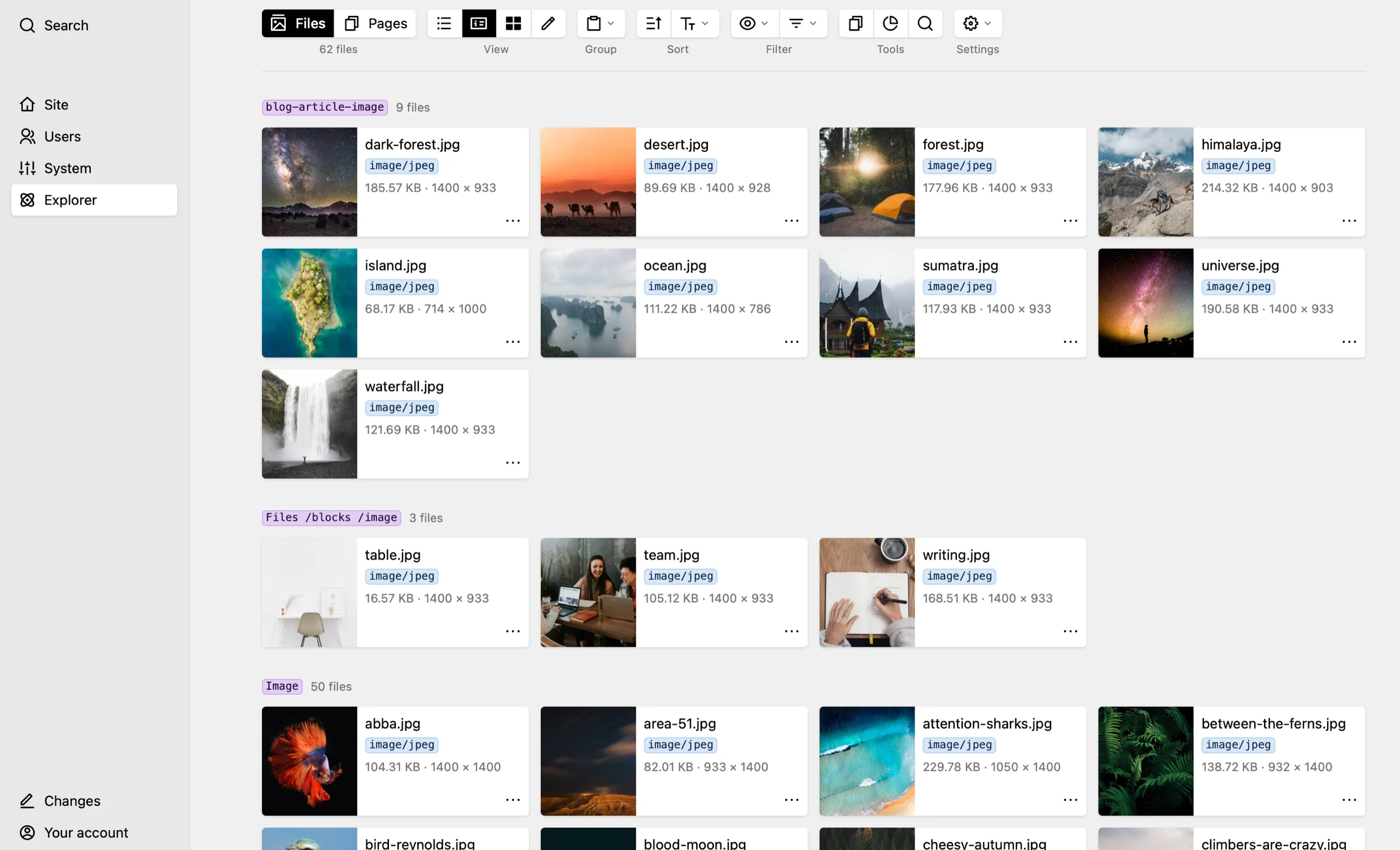
Every file of the site in one list
Template, type, size, dimensions — and whether the file is used anywhere at all. Group them by the page they belong to, and each heading counts its files and links to that page.
Edit blueprint fields in one place
Twenty alt texts in one pass
The edit view puts the blueprint fields of every file one below the next. Fill in what is missing, compare one caption against the next, and save when you are done — without opening a single page.
Spot missing translations
Which pages are still missing a translation
Group pages and files by translation state and the ones that still fall back to the default language stand together. Switch the language and the whole area follows: titles, paths, field values.
Installation
Kirby Explorer requires Kirby 5.1 and PHP 8.2+. There are two ways to install it:
With Composer
One line in the project root — updates come the same way.
composer require kirbydesk/kirby-explorer
Manually
Just download and unpack the release into site/plugins/.
Activation
The plugin is completely free. Every public domain is activated once with a single click in the panel. A site that cannot be reached from the outside, because it sits behind a password, in an intranet or on a staging server, gets its key from activate.kirbyexplorer.com.